
Can I Replace My Key Fob Battery Myself?
Yes—many key fob batteries are designed for owner replacement; check your vehicle’s owner manual for the correct battery and opening method. If you need help now, call MD Locksmith at (240) 366-2739 for key fob battery replacement.
Need help now? (240) 366-2739
Can I Replace My Key Fob Battery Myself? Check These Signs First
A battery change is often a reasonable do-it-yourself task if your owner manual explains how to open the fob and identifies the battery it takes. Follow those instructions for your vehicle and key fob; designs vary, and forcing the case can break its clips or damage the buttons.
A shorter operating range, inconsistent response, or a battery warning on the vehicle may point to a weak fob battery. Those signs do not prove the battery is the only problem, so note what the fob does before opening it. If the case is cracked, swollen, glued shut, or difficult to open, stop rather than prying harder.
Gather the Right Battery and Simple Tools Before Opening the Fob
Use the vehicle owner manual or the instructions for your exact fob to identify the battery and case-opening method. Do not guess based on a similar-looking remote: the correct battery size and orientation matter.
- The specified replacement battery — Check the manual or the marking on the old battery for the exact type. Compare the new and old batteries before installing it, and do not force one that does not fit.
- A small flathead screwdriver or plastic pry tool — Use a tool only if the fob instructions call for one. A plastic tool can help reduce scratches, while a screwdriver can slip or damage the case if you apply too much force.
- A clean, stable work surface — Work somewhere bright where small parts will not roll away. A soft cloth can protect the fob shell from scratches while you open and reassemble it.
- The owner manual — Keep it nearby for the opening steps, battery orientation, and any vehicle-specific instructions for checking the remote afterward.
Follow These Steps When Changing the Battery in a Key Fob
Use the sequence below as a careful general approach, not a substitute for your vehicle’s instructions. If the manual gives a different procedure, follow that procedure instead.
- Read the fob instructions — Find the battery replacement directions in the owner manual. Check how the case opens and what battery it requires before you begin.
- Set up a clear work area — Place the fob on a clean cloth in good light. Keep the replacement battery and any small pieces where you can see them.
- Find the case seam or release point — Look for the opening point shown in the manual. Some fobs have a removable mechanical key or a specific release; do not assume that every design opens the same way.
- Open the case gently — Use the recommended tool and apply light pressure at the designated point. Check that the seam is separating as expected; stop if the case bends, cracks, or will not release.
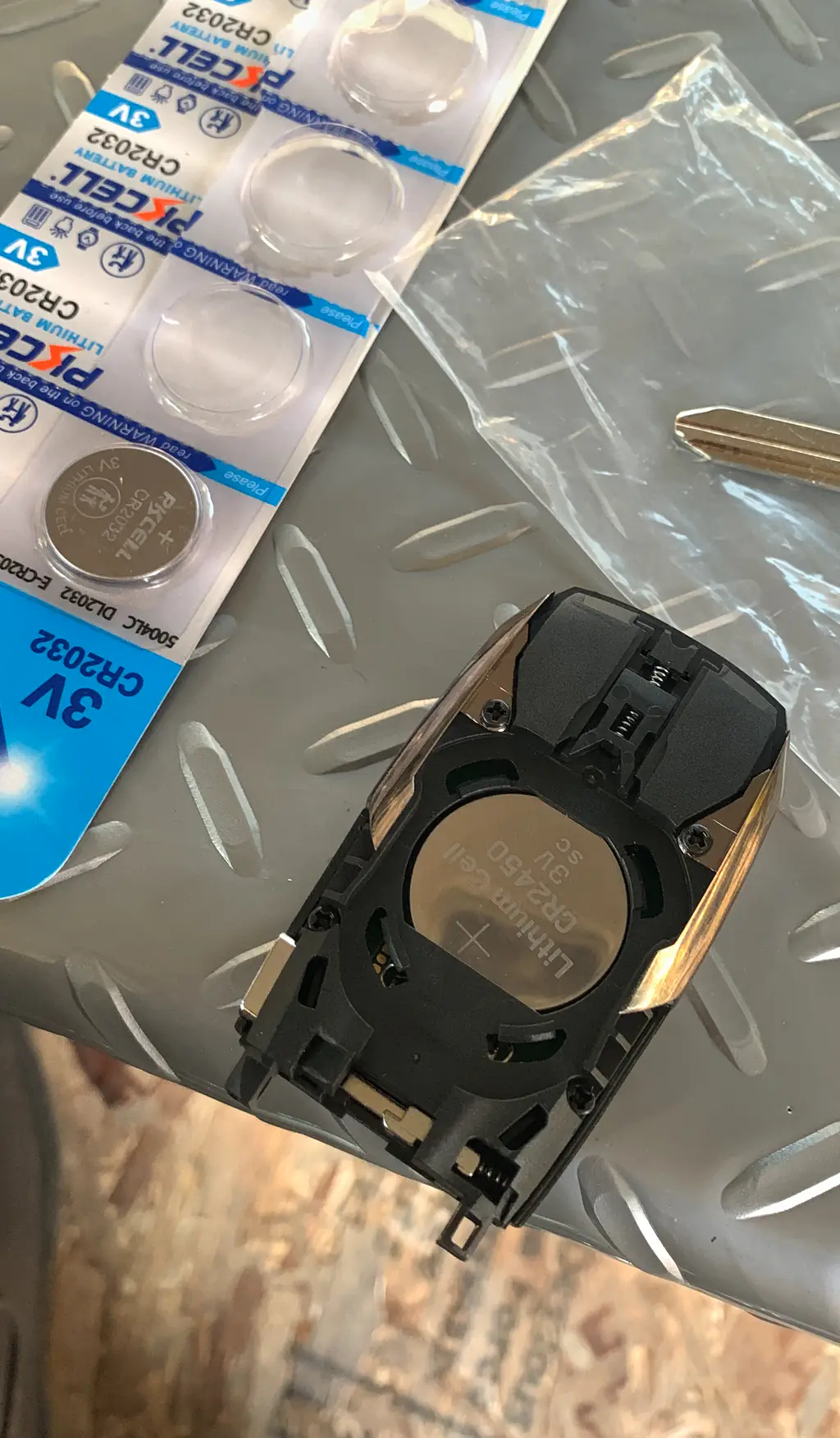
- Note the old battery’s position — Before removing it, look at which side faces up and how it sits in the holder. This gives you a reference for the replacement battery’s orientation.
- Remove and compare the battery — Lift the old battery out without bending the holder. Compare its markings and size with the new one, and confirm the new battery matches the instructions.
- Install the replacement battery — Place it in the holder with the positive and negative sides oriented as shown in the manual or on the fob. Check that it sits flat and secure without forcing it.
- Close the fob and test it — Align the case halves and press them together gently until they seat. Check that the buttons feel normal, then test the fob as described in your vehicle manual.
Need help now? (240) 366-2739
Test the Key Fob Before Assuming the Battery Change Worked
Try the fob near the vehicle, then test it from your usual operating distance. Check each button you normally use and watch for a response from the vehicle. If the manual gives a particular test procedure, use that rather than repeating button presses at random.
If the fob works only when you are very close, responds inconsistently, or does not work at all, reopen it only if the instructions allow and check that the battery is the specified type, sits in the holder correctly, and has not shifted. Make sure the case is fully closed and the buttons are not stuck.
A New Battery May Not Fix Every Key Fob Problem
Compare the symptoms before deciding whether to try another battery or ask for help. A working spare fob, if you have one, can help you tell whether the issue is limited to one remote.
The fob works again after replacement
The old battery may have been weak. Check the buttons and range you normally rely on, and keep the manual available for future battery changes.
The fob still does not respond
Confirm the battery type and orientation against the manual and check that it sits properly. If the fob remains unresponsive, the fault may involve the fob or vehicle rather than the battery.
The case or buttons are damaged
Stop if the shell will not close, a button is stuck, or a part appears broken. Additional prying can make the damage worse and may leave the fob difficult to use.
A spare fob works normally
That suggests the problem may be with the first fob, though it does not identify the exact cause. Keep both remotes available when you ask for service.
For a Subaru Key Fob, Use the Instructions for Your Exact Vehicle
The steps for changing a battery in a Subaru key fob can differ by vehicle and fob design. Check your owner manual for the correct battery, opening point, and battery orientation for your exact setup rather than copying instructions for another Subaru.
If the case does not open easily at the point shown in the manual, stop. The fob may have a different release method, or the case may be damaged; forcing it can break the shell.
Need help now? (240) 366-2739
Call a Locksmith When the Fob Still Fails or the Case Is Damaged
Call for professional help if the battery is correctly installed but the remote remains unresponsive, the case is damaged, or you are not comfortable opening it. Do not keep forcing the shell or assume that another battery will solve a problem that persists after a careful replacement.
MD Locksmith offers key fob battery replacement service. If you need help now, call (240) 366-2739 or contact us. You can also learn more about our locksmith service in Silver Spring.
Frequently asked questions
How can I tell if my key fob battery is weak?
A shorter range, inconsistent response, or a battery warning may indicate a weak battery. These signs can have other causes, so check the owner manual and test the fob again after replacing the battery.
Do I need to reprogram the key fob after changing its battery?
A battery replacement does not automatically mean the fob needs reprogramming. Follow your vehicle manual’s instructions; if the fob still does not work after a correct battery change, ask a locksmith to check it.
What should I do if the key fob still does not work with a new battery?
Check that the battery matches the manual, is installed in the correct orientation, and sits securely in its holder. If the fob remains unresponsive or its case is damaged, stop opening it and call for help.
Can I change the battery in a Subaru key fob myself?
Often, yes, but use the instructions for your exact vehicle and fob because the opening method and battery can vary. If the case resists opening or the fob still fails afterward, avoid forcing it and contact a locksmith.
Need Help With a Key Fob?
Call MD Locksmith at (240) 366-2739 for key fob battery replacement help.