
Does a Key Fob Need to Be Reprogrammed After Changing the Battery?
Usually, no—a key fob does not need to be reprogrammed after changing the battery. If yours still will not respond, call MD Locksmith at (240) 366-2739; otherwise, check that the battery is the right type and seated correctly.
Need help now? (240) 366-2739
Does a Key Fob Need to Be Reprogrammed After Changing the Battery?
In most cases, replacing a key fob battery does not erase the fob’s programming. The battery powers the remote; changing it usually does not remove the fob’s connection to the vehicle.
If the fob worked before the battery change but now does not, check the replacement battery and how it sits in the fob before assuming it needs reprogramming. Some vehicles have a separate resynchronization procedure, so follow the owner’s manual for your vehicle rather than trying a procedure meant for another model.
What to Check Before You Decide the Fob Needs Reprogramming
A fob that does not work after a battery change may have a simple battery-fit issue, or it may need attention beyond a new battery. Use these clues to choose your next step.
- The fob worked before the change — Start by checking the new battery’s type and orientation against the owner’s manual. A battery that looks similar may not be the correct one for your fob.
- The buttons work only sometimes — Check whether the battery sits firmly and the fob case closes fully. If the response remains inconsistent, the fob may need inspection.
- The fob has no response at all — Confirm the battery is seated correctly, then try the fob close to the vehicle. If it still does not respond, consult the vehicle manual or contact a locksmith.
- The fob was already unreliable — A new battery may not resolve an existing fob problem. If its buttons or case are damaged, avoid forcing the case or bending the battery contacts.
How to Check a Key Fob After Changing Its Battery
Work through these checks in order. Stop if the case or battery contacts appear damaged instead of trying to force or reshape them.
- Check the owner’s manual — Find the battery instructions for your vehicle and fob. Confirm the required battery type and any stated steps for opening and closing the case.
- Confirm the battery type — Compare the battery in the fob with the type specified in the manual. If they do not match, use the specified type before testing further.
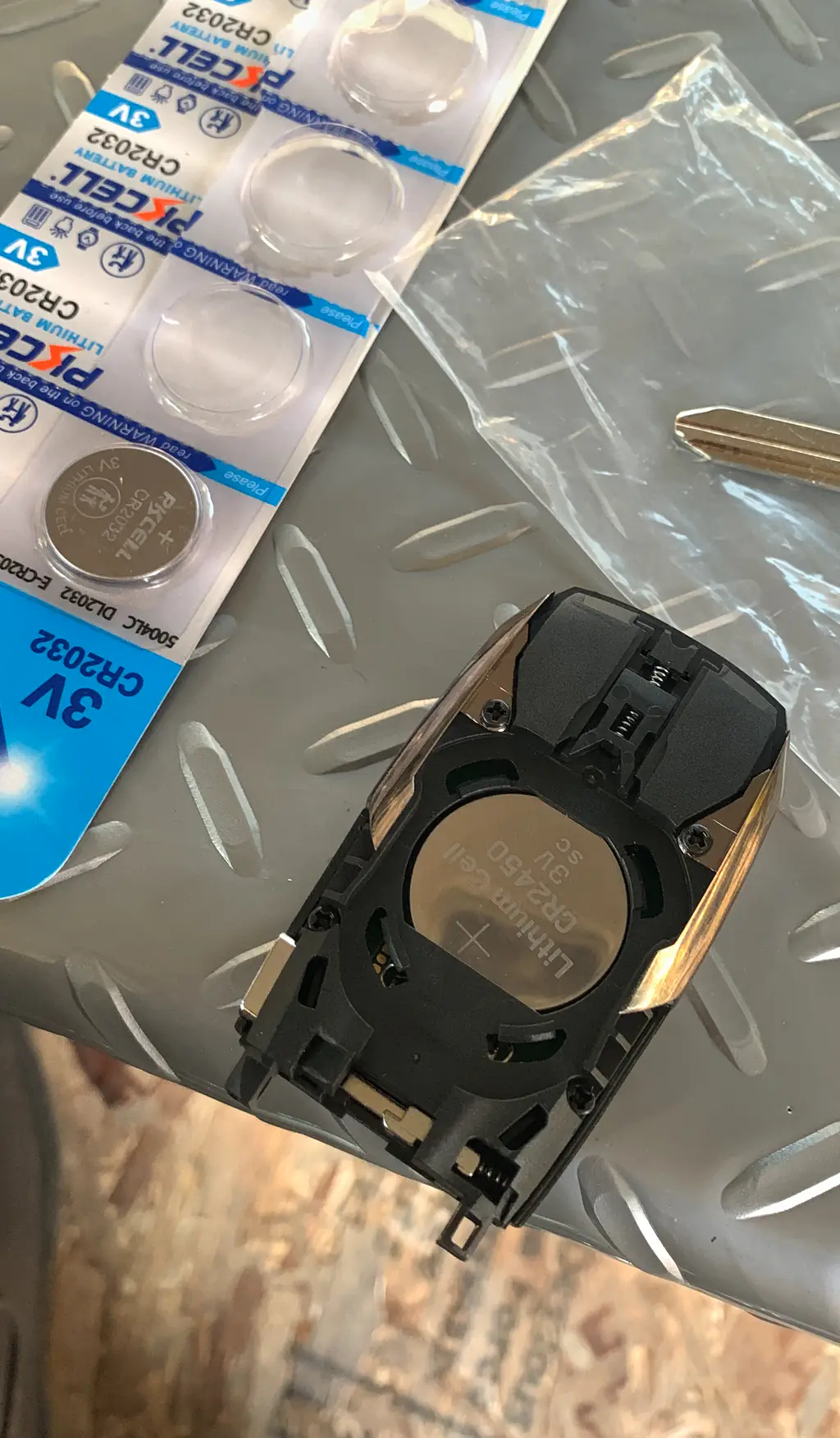
- Check the battery orientation — Look at the positive and negative markings in the fob and compare them with the battery’s markings. Make sure the battery faces the direction the manual shows.
- Check how the battery sits — The battery should sit flat and make contact without being forced. If it shifts, looks loose or will not fit, stop and recheck the battery type and placement.
- Inspect the battery contacts — Look for contacts that appear bent, broken or obstructed. Do not bend them back; damage can prevent a reliable connection and may need professional attention.
- Close the fob case fully — Align the case as described in the manual and check that it closes evenly. A case that will not sit together may mean a part or the battery is out of place.
- Test the fob near the vehicle — Stand close to the vehicle and try a normal button press. If the fob works only nearby or remains unresponsive, note that result for the next step.
- Check for a vehicle-specific resync procedure — Use the owner’s manual to see whether your vehicle calls for resynchronization after a battery change. If the listed procedure does not help, stop repeating it and ask for service.
Need help now? (240) 366-2739
Choose the Next Step for Your Key Fob
The right fix depends on what happens after you check the battery. These options can help you avoid treating every unresponsive fob as a programming problem.
Battery fit or orientation is wrong
Correct the battery type and placement using the vehicle manual, then test the fob again. Reprogramming is not the first step when the battery is not making proper contact.
The manual gives a resync procedure
Follow the instructions for your vehicle exactly. If the fob still does not respond, a locksmith can help determine whether the issue is programming or another fob problem.
The battery and case look right, but the fob fails
The fob may need repair, replacement or programming help. Our key fob battery replacement service can help when a battery change has not restored normal operation.
Why a Key Fob May Still Fail After a Battery Change
A new battery will not solve every fob problem. The replacement may be the wrong type, installed in the wrong direction or not seated against the contacts. A case that has not closed properly can also leave the battery out of position.
If the battery checks out, the problem may be a damaged fob or a vehicle-specific resynchronization issue. Pay attention to what changed: whether the fob worked before the battery swap, whether any buttons respond, and whether the vehicle manual describes a resync step. Those details help narrow down what to do next.
When to Call a Locksmith About a Key Fob
Call a locksmith if the correct battery is installed in the right direction and the fob still does not work, if the fob case or contacts are damaged, or if the vehicle’s manual instructions do not restore its response. Avoid forcing the fob open or trying programming steps intended for a different vehicle.
MD Locksmith is open 24 hours a day, 7 days a week. We provide mobile service and can help with key fob battery replacement; call (240) 366-2739 or contact us to discuss what your fob is doing.
Need help now? (240) 366-2739
What to Do If the Fob Works Only Sometimes
Intermittent response is a reason to check the battery fit and case alignment again, but do not keep pressing or forcing parts that seem stuck. If the battery is correctly installed and the case is secure, note which buttons work and whether the fob responds near the vehicle.
If the problem continues, share those observations with a locksmith. That helps distinguish a battery connection problem from a fob that needs repair, replacement or programming support.
Frequently asked questions
Can changing a key fob battery erase its programming?
Usually, changing the battery does not erase the fob’s programming. If it stops working afterward, check the battery type, orientation and fit before looking for a vehicle-specific resynchronization procedure.
How can I tell whether the new battery is installed correctly?
Compare its type and the positive and negative orientation with the instructions in your vehicle’s manual. The battery should sit flat, and the case should close without force.
Should I try a resynchronization procedure from another vehicle’s manual?
No. Resynchronization steps can differ by vehicle, so use the instructions for your own vehicle. If those steps do not restore the fob, ask a locksmith for help.
When should I stop troubleshooting the key fob myself?
Stop if the case or battery contacts look damaged, the battery will not sit correctly, or the manual’s instructions do not fix the problem. A locksmith can help determine whether the fob needs battery service, repair or programming.
Key Fob Still Not Responding?
Call MD Locksmith at (240) 366-2739 for help with your key fob.